
WhatsApp API for Business: Chat, Call and Automate
Let your whole team talk to customers from one WhatsApp number. Add chatbots, send approved notifications, take calls and connect everything to the software you already use.
Everything your business needs to grow on WhatsApp
Handle more customers, answer faster and keep every conversation in one place.

Whole team on one number
A shared inbox lets many agents answer from the same WhatsApp number, with chats assigned to the right person or team.

Notifications and campaigns
Send order updates, reminders and offers with approved templates to customers who agreed to hear from you.
AI chatbot and automation
The chatbot answers common questions first, and a person takes over when a customer needs one.
WhatsApp calling
Receive and place WhatsApp calls with IVR-style routing, so customers can move from chat to voice in one thread.
Start chats from anywhere
Add WhatsApp buttons, links and QR codes to your website, ads and packaging, so customers can reach you in one tap.
Verified business profile
Show your business name, logo and details, and apply for WhatsApp’s official verification so customers know it is really you.
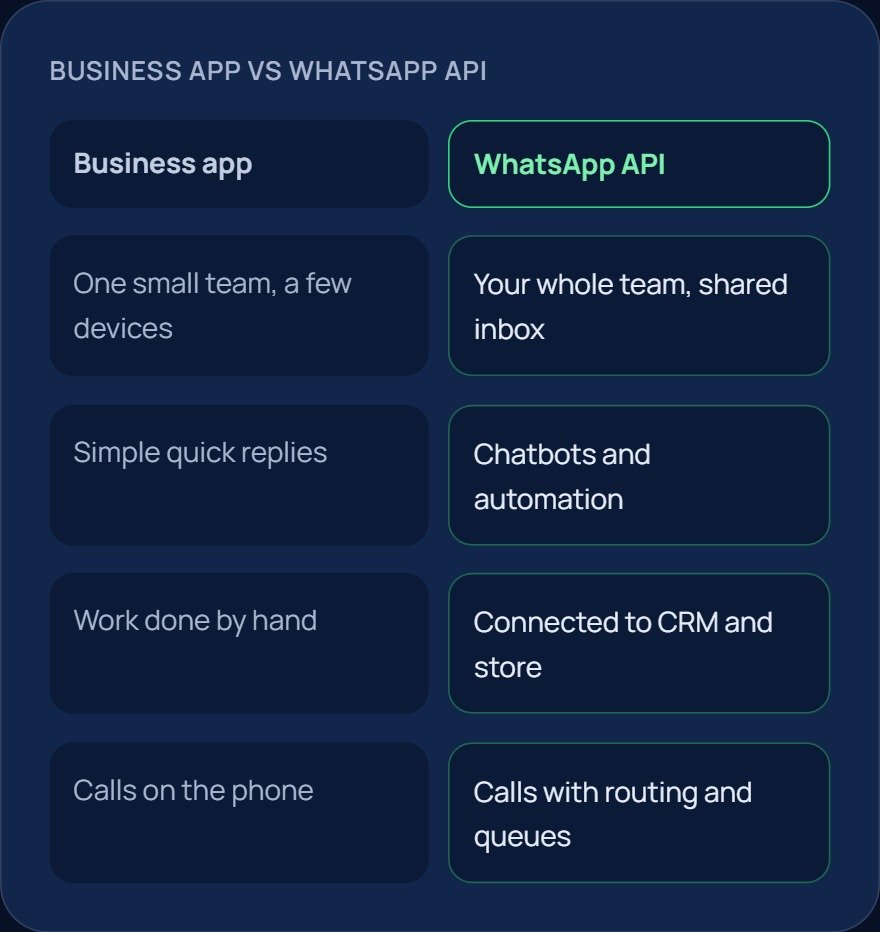
WhatsApp Business app vs WhatsApp Business API
The free WhatsApp Business app works for a small team using a few phones. The API is built for businesses that need many agents on one number, automation and links to their own software. Here is how they differ.
| Feature | WhatsApp Business app | WhatsApp Business API |
|---|---|---|
| Team size | A few phones | Many agents on one number |
| Automation | Quick replies and away messages | Chatbots, workflows and AI replies |
| Campaigns | Limited broadcasts | Approved template campaigns to opted-in customers |
| Software links | None | CRM, store and helpdesk through the API |
| Reports | Basic | Chat and call reports by agent and team |
What you need to get started
- A business phone number that can be registered on the WhatsApp Business Platform.
- A Meta Business account. Meta may also ask you to verify your business.
- Customers who have agreed to receive your messages.
- Message templates approved by WhatsApp for notifications and campaigns.
- A short plan for your menu options, teams and business hours.
Our team helps with each step, from the number check to your first approved template. Book a free demo to get started.
How WhatsApp Business API pricing works
There are two parts. WhatsApp charges for some types of messages, and there is a platform fee for the tools and support. Our platform is priced per seat, and you can see the plans in the pricing section on our homepage. During the demo we explain how WhatsApp message charges apply to your use case.
Rules that keep your number in good standing
- Message only customers who have agreed to hear from you, and make it easy to opt out.
- After a customer writes to you, you can reply freely for 24 hours. Outside that window, send an approved message template.
- Keep templates clear and useful. Messages that customers ignore or report can hurt your number’s quality.
- Stay within the messaging limits WhatsApp sets for your number.
Who uses the WhatsApp Business API in Pakistan
Our platform is built for local teams that talk to customers all day:
- Call centers and BPOs: queues, agent boards and campaigns on WhatsApp.
- Ecommerce: order updates, cash-on-delivery confirmation and support in one thread.
- Hotels: booking and guest requests before and after check-in.
- Clinics: appointment reminders, reports and follow-ups.
- Real estate: site-visit confirmations and brochure sharing.
- Education: fee reminders, admission queries and class updates.